VectrixLab
Back to work
  • Climbing facilities
  • Product concept

Cruxfolio

A climbing-gym workspace for route layouts, setting schedules and setter collaboration.
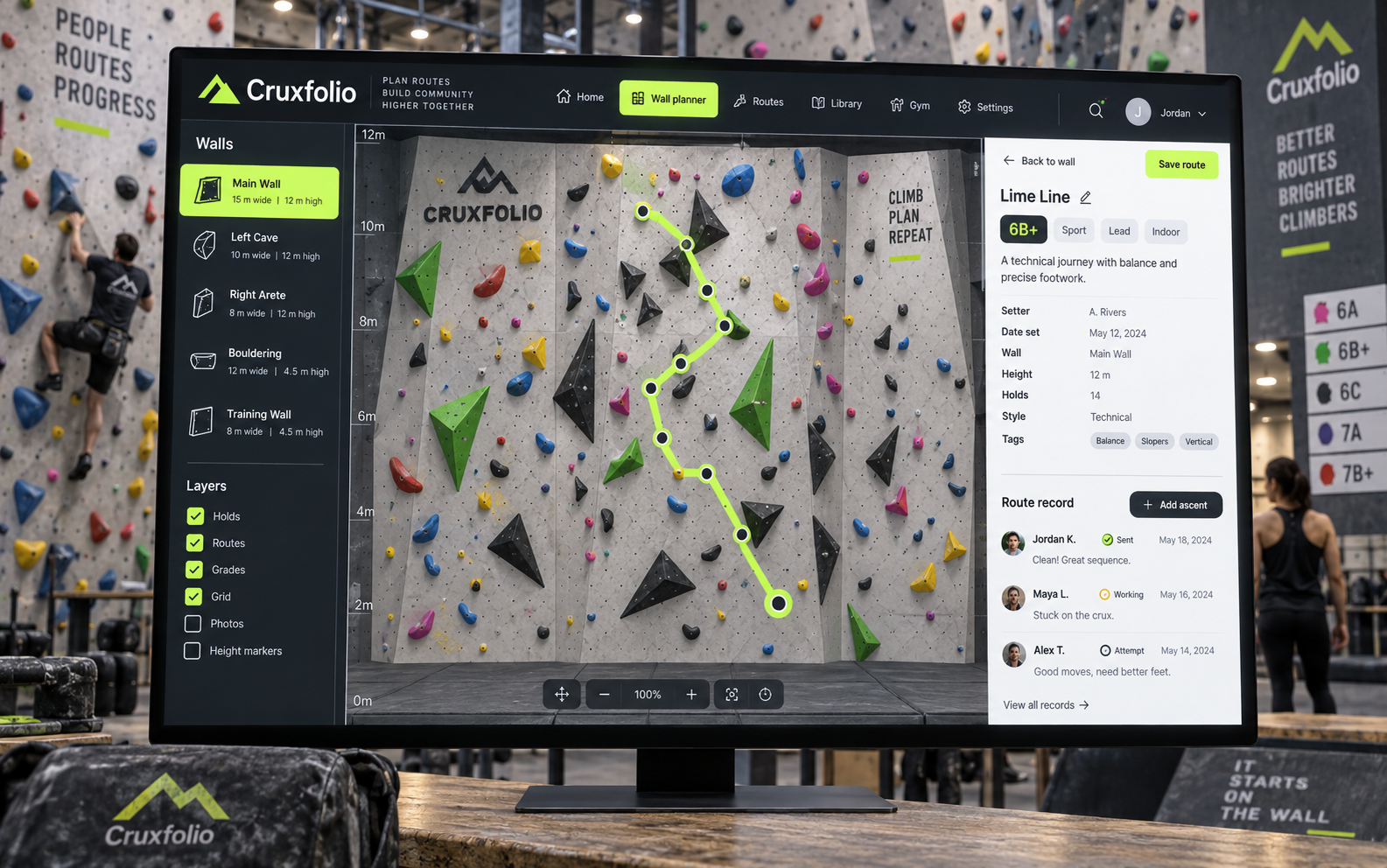
Cruxfolio product concept in a branded setting

Project overview

Cruxfolio treats the climbing wall as the primary workspace. Route records open beside a wall elevation, while setting schedules and a visual collection help the team organize changes over time. The concept focuses on planning records and collaboration, using illustrative routes rather than prescribing climbing or installation guidance.

The challenge

Route information can become detached from its physical position on the wall. A team may know that a route needs review without having the latest photograph, setting note or scheduling context in the same place.

  • Connect route records to identifiable wall locations.
  • Coordinate setting work across walls and time slots.
  • Keep feedback attached to the correct route revision.

Our solution

A spatial wall canvas provides the starting point. A calendar organizes setting work, a route collection makes photographs easy to browse and an annotated review view keeps setter discussion in context.

  • Select a route on a wall elevation and inspect its planning record.
  • Review setting sessions and crew assignments in a weekly schedule.
  • Browse photographed routes using wall, color and difficulty labels.
  • Discuss positioned wall annotations beside revision notes and review tasks.

Key features

  • Wall planner

    Select a route on a wall elevation and inspect its planning record.

  • Setting calendar

    Review setting sessions and crew assignments in a weekly schedule.

  • Route collection

    Browse photographed routes using wall, color and difficulty labels.

  • Setter review

    Discuss positioned wall annotations beside revision notes and review tasks.

  • Wall selector

    Move between wall areas while retaining route context.

  • Route labels

    Connect route color and reference labels to a record.

  • Setting assignments

    Associate proposed sessions with crew members.

  • Review checklist

    Track administrative review steps for a route.

  • Photo history

    A proposed history keeps earlier wall images available.

  • Route filters

    Narrow the collection by wall, color or label.

  • Setter discussion

    Keep notes beside the selected wall photograph.

  • Revision records

    Document the changes proposed for a route.

Technology stack

    The results

    The four screens establish a spatial planning system supported by a calendar, catalog and review workspace. A next study would ask a setter to locate a route, find its scheduled session and identify the latest review note.

    • 4Specialized concept views

    • 12Proposed feature areas

    Ready to build something similar?

    Let's bring your idea to life

    Whether it's a platform for your industry or something completely different, we can help you build, integrate and scale.