

Dome studio
Preview an illustrative astronomy show in a dome-shaped viewer with scene notes.
Celestack brings planetarium programming into a visual workspace built around the records, decisions and reviews that shape the work.
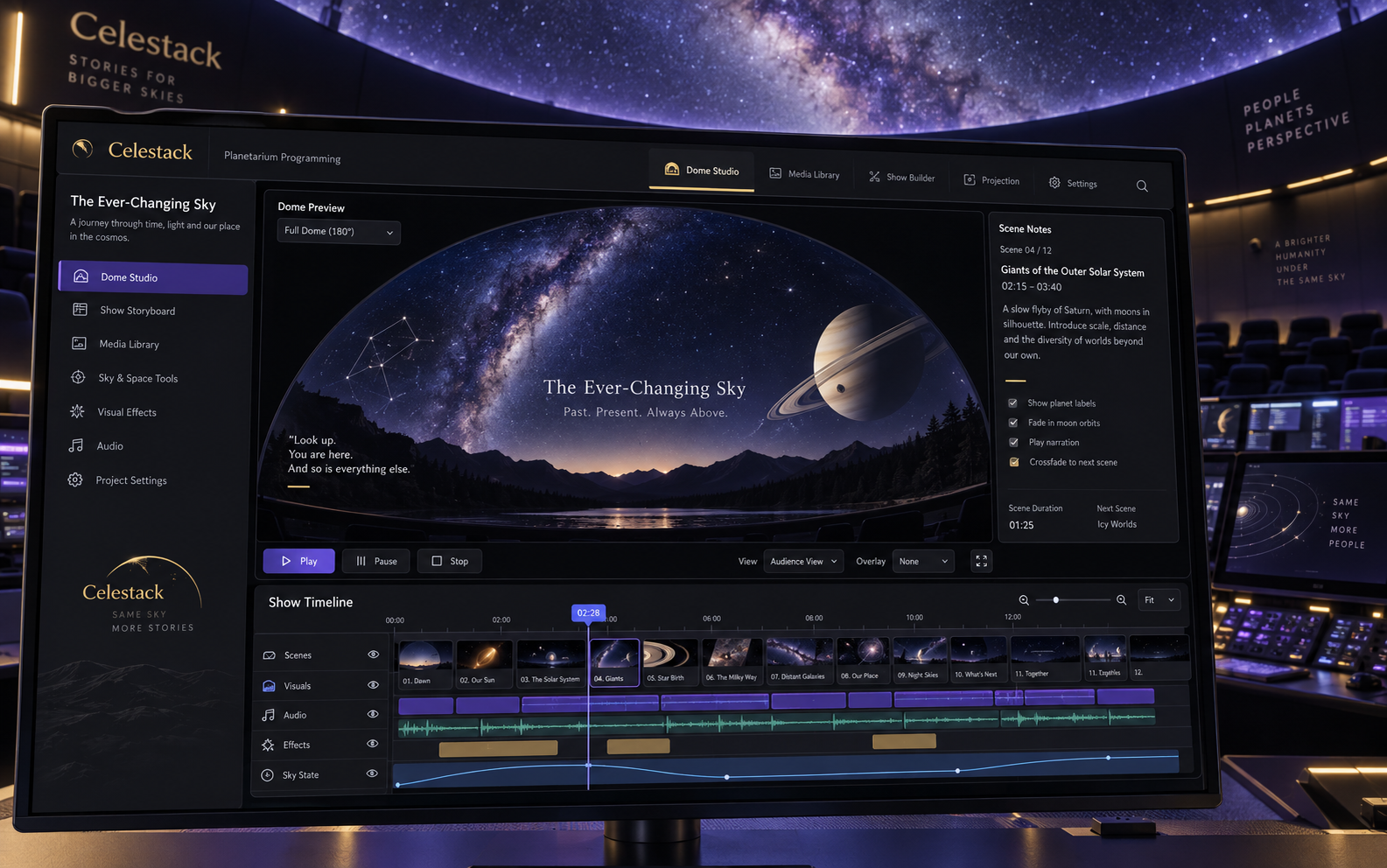
Celestack is a product design concept for planetarium programming. Planetarium educators need narration, dome imagery and show sequencing to share a clear review context. The scope connects four activities: dome studio, show sequence, learning guide, rehearsal notes. Each has a dedicated screen, with a dome preview canvas with show storyboard and bottom cue timeline establishing the visual direction. The work includes interface composition, proposed feature architecture and industry-specific showcase imagery.
Planetarium educators need narration, dome imagery and show sequencing to share a clear review context. A useful workspace must preserve the connection between the original reference, the selected record and the discussion around a change. Showing more information alone would not resolve that handoff.
The design starts with a dome preview canvas with show storyboard and bottom cue timeline. Preview an illustrative astronomy show in a dome-shaped viewer with scene notes. The remaining views separate exploration, coordination and review into layouts suited to their content. A space black, ultraviolet and pale gold palette gives the product its own visual identity, while selected-record panels keep details close to the working surface.
Inside the platform
Four original planetarium programming interface concepts. Records, technical values and depicted workflows are illustrative.
The design establishes four distinct planetarium programming views and a proposed set of twelve feature areas. The visual system prioritizes the working object and its context rather than repeated metric cards. A next validation would ask a practitioner to move from dome studio to rehearsal notes, identify the selected record and retrieve the relevant show versions. These are design deliverables, not measured business outcomes.
4Specialized concept views
12Proposed feature areas
Ready to build something similar?
Whether it's a platform for your industry or something completely different, we can help you build, integrate and scale.